
Give members a clear way to see and pay a balance.
Fewer “what do I owe?” calls. A clear answer for every family.
Members sign in to see statements they have permission to view and follow the payment back to their account.
See the member experience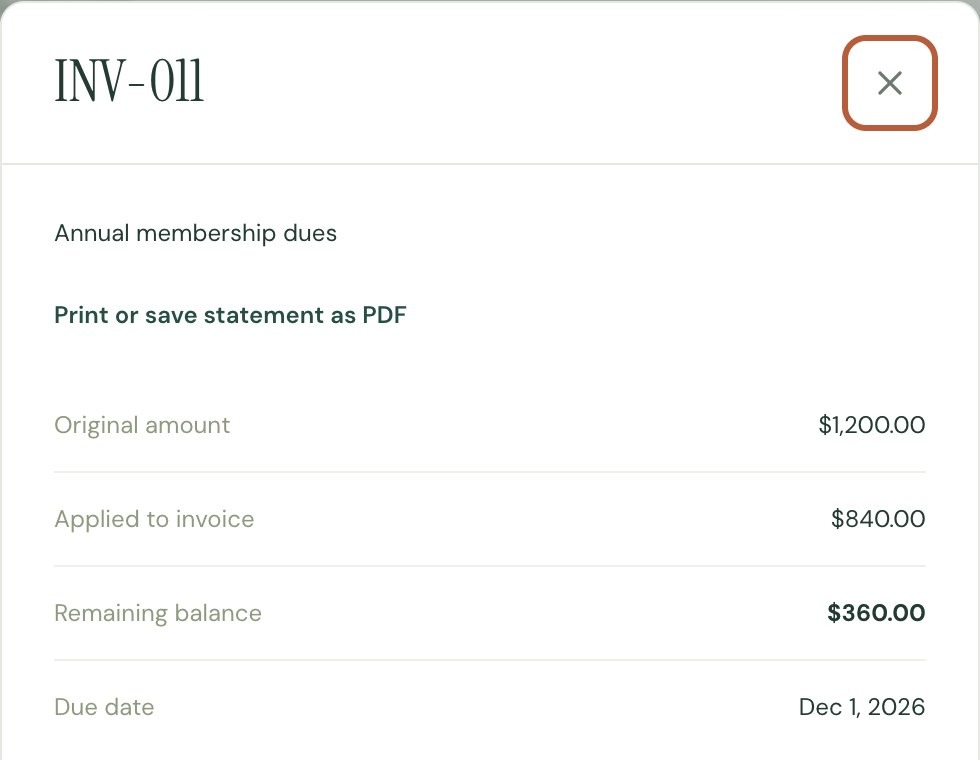
From a balance due to a payment received.
Follow one example: the Nahum family pays the remaining $360 on its annual dues invoice.
-
Know what’s due.
Open the statement to see the original charge, past payments and the amount left to pay.
Annual membership duesINV-011- Original amount
- $1,200.00
- Already applied
- $840.00
- Balance due
- $360.00
Illustrative member view. Each family sees only the accounts it can access. -
Pay right here.
The card form opens inside Kehilio. The amount stays tied to the invoice being paid.
Pay your balanceINV-011$360.00
Card•••• •••• •••• 4242Pay $360.00Illustrative payment view. This example does not collect card details. -
Know it’s taken care of.
Once the payment is confirmed, the member can open a private receipt. Their statement shows when the payment is applied to the invoice.
Payment receivedPaid$360.00
- Invoice
- INV-011
- Paid with
- Card ending 4242
- Remaining balance
- $0.00
Illustrative receipt after the payment has been applied to the invoice. A receipt appears after payment confirmation; QuickBooks may still be updating.
Your office sees the same answer.
Confirmed Stripe payments go to the matching invoice in QuickBooks. Your treasurer can follow whether it is waiting or applied, while the family keeps its receipt in Kehilio.
No searching through messages to work out which bill was paid.
See the Stripe and QuickBooks connections
- Household
- Nahum family
- Invoice
- INV-011
- Payment applied
- $360.00
- Invoice balance
- $0.00
Give families a manageable way to pay.
Once your shul’s payment setup is in place, authorized members can pay a balance by card or split an eligible invoice into installments. A member can opt into card autopay for that invoice or pay the balance early.
Set up payments with your treasurer.
Bring a sample statement and tell us which payments you collect. We’ll review who can see or pay each account, where those payments should appear in QuickBooks, and what to do if an automatic payment fails.
Member accounts belong in Kehilio Complete.
Complete brings dues, private statements, member records and QuickBooks into your office workspace. Need fundraising without the member accounts? Start with Kehilio Giving.
Compare the plans and what’s includedSee how it would work for your Shul.
Walk through the demo with us and bring your questions.
Book a demo