
Give every dues invoice a clear purpose.
Keep the household, membership period, and amount due together.
Start with the right household invoice.
- An authorized owner or treasurer finds a verified invoice in the Shul’s connected QuickBooks company.
- Assign its membership start and end dates. Check the household and amount before saving.
- The authorized member can see the period, due date, and balance in their account.
Being a member of a household does not automatically give someone access to its bills. The Shul decides who can see or pay each account.
Schedule the invoice, not a surprise charge.
- Choose the verified household mapping, monthly or annual repeat, amount, and first period.
- Set the number of days until payment is due. Review the scheduled period and invoice status.
- Pause future issuance when needed. If the accounting mapping changes, review it before more invoices are issued.
Issuing an invoice does not charge a card or send an email. Card autopay requires the payer’s separate authorization. An invoice already being checked can finish after a schedule is paused.
Nahum household
- Repeat
- Annual
- Invoice amount
- $1,200
- Next period
- January 2027
- Due after issuance
- 30 days
Invoice schedule · not a card authorization
Let the family follow the payment.
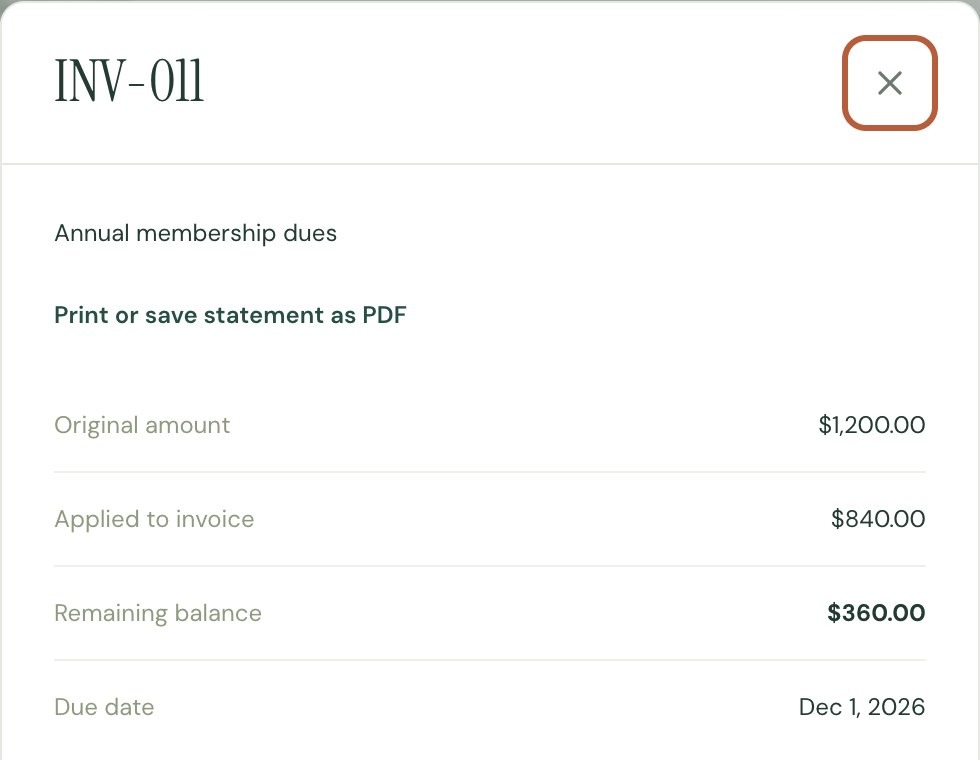
Once payment setup is confirmed, an authorized payer can pay an eligible invoice by card or choose an installment plan where available. The receipt confirms payment; the statement shows when QuickBooks applies it to the invoice.
Follow the statement, payment, and receipt walkthrough
Scheduled invoice issuance requires confirmed accounting mappings and enabled issuance. Your treasurer checks the first invoice and its payment before the workflow is opened for your Shul.
Make dues easier to explain.
Bring a sample dues statement and your membership periods. We’ll walk through what the office and family each see.